
Why Users Complete Forms Faster with Floating Labels
How to reduce visual fixations
Field labels do more than inform—they shape how users scan and complete forms. Every additional eye movement to scan the labels increases cognitive load and slows completion.
With top-aligned labels, every field requires two fixations: one to the label, one to the input. This doubles the work the user's eyes must do for each field. With floating labels, the eye uses a single fixation for both the label and the input, reducing friction and enabling a smoother scan.
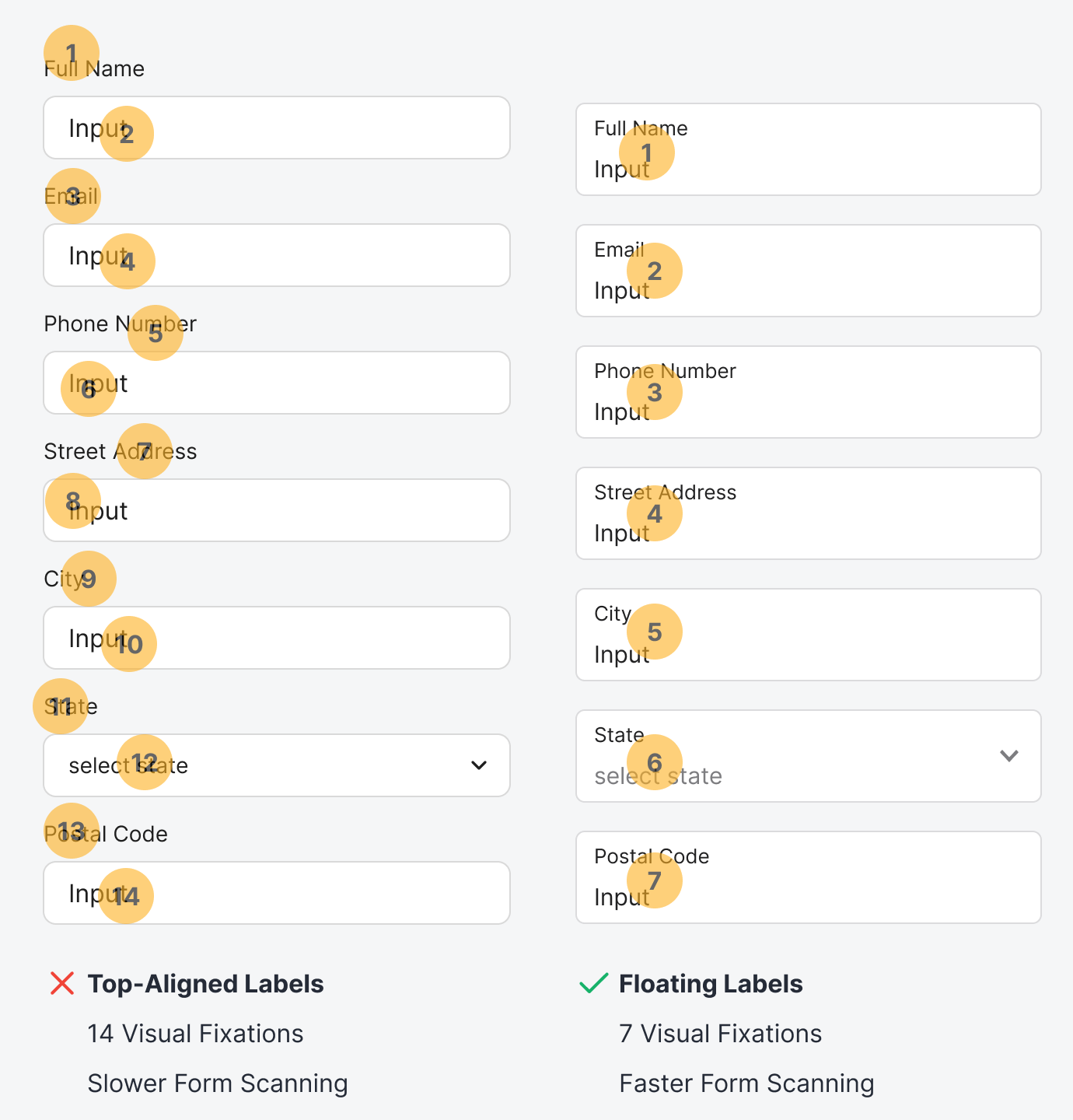
Floating labels are more effective because they minimize unnecessary eye movement by cutting the visual fixations in half. In the example, the form went from 14 visual fixations to just 7. Both the label and input travel with the user's gaze, never requiring them to shift their focus off the field.
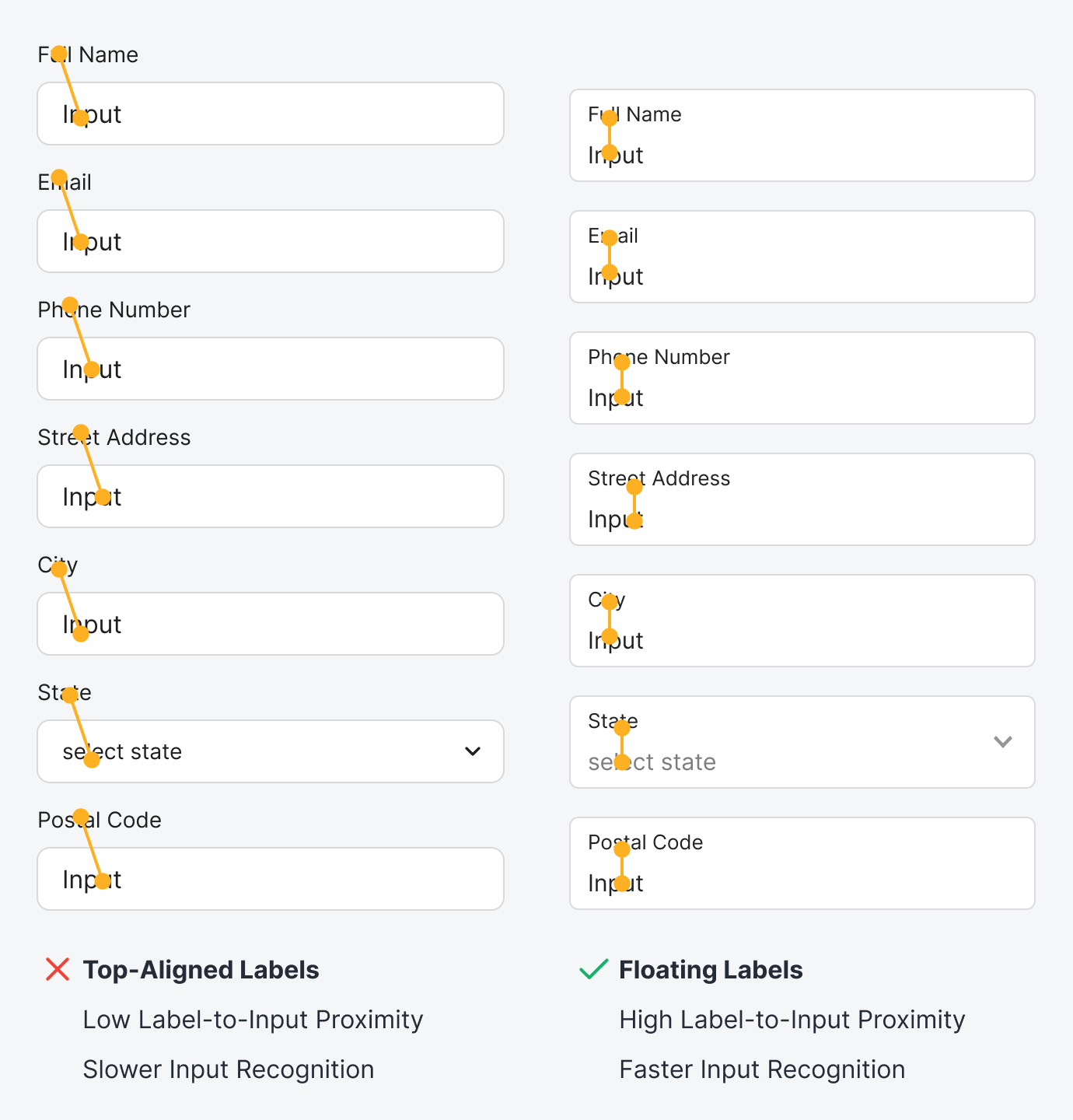
Top-aligned labels have a low proximity between the label and the input. As a result, users will take longer to recognize their input because they have to move their eyes up to check the label. The distance might seem small at first glance, but it becomes significant when users need to do this across multiple fields.
Floating labels have a high label-to-input proximity, which makes input recognition faster. As a result, users can double-check their input and correct errors more quickly. Not only that, but clicking a field to edit the input is also faster because the target is much larger than a top-aligned field.
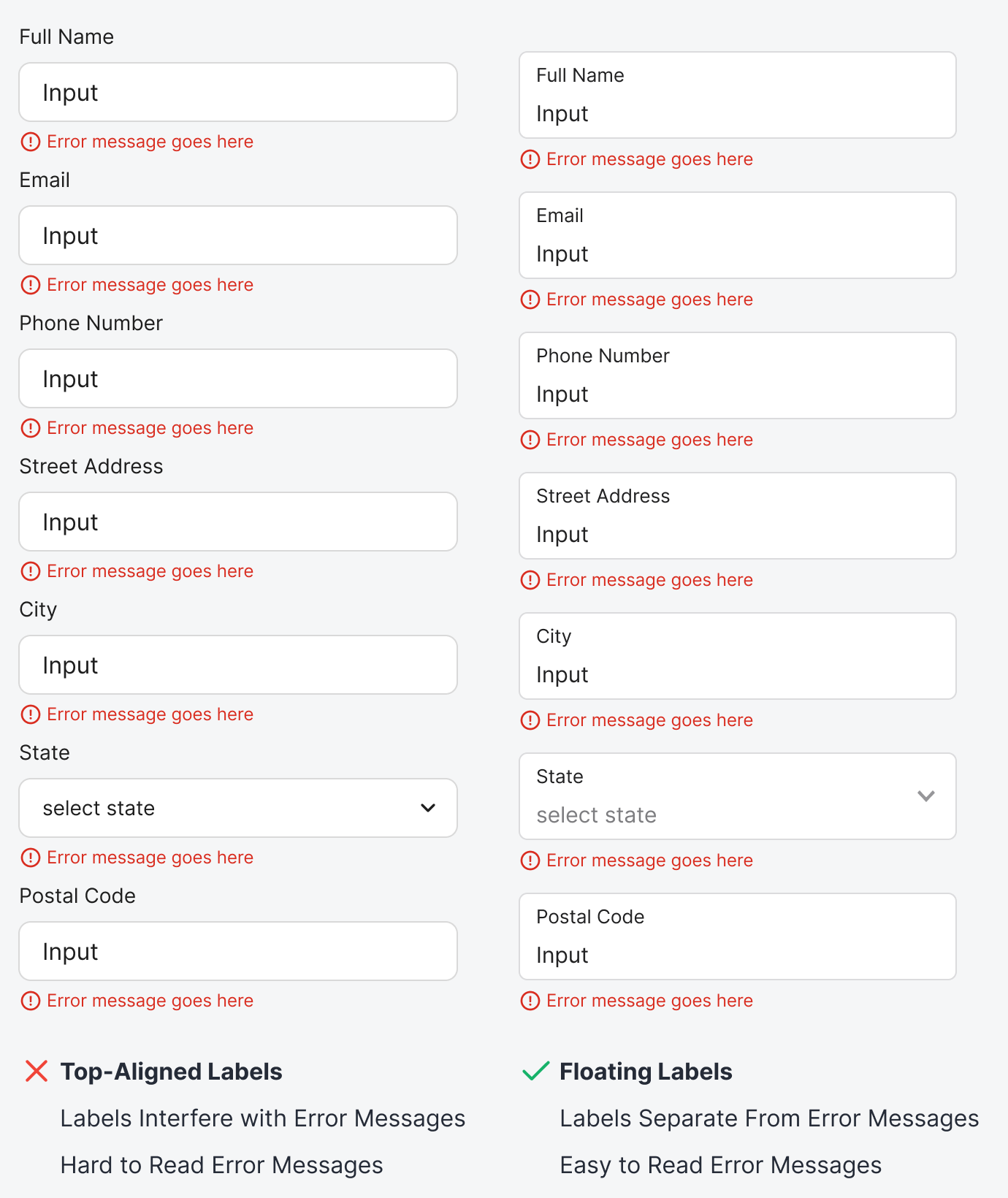
Error messages on floating labels are much easier to read because nearby text cannot interfere with them. The field border separates and contains the labels, ensuring they do not interfere with any adjacent error messages.
However, error messages on top-aligned labels interfere with the labels of adjacent fields because there's no visual separation. When users read an error message, the label below it can distract them from their task.
Traditional top-aligned labels are becoming a thing of the past. If you want users to complete your form more quickly and accurately, consider switching to floating labels. You'll reduce scanning friction, increase input recognition, and improve error message readability simply by placing your labels in a better location.