
The Right Way to Design Custom Table Filters
How to save and customize filters
Suppose your app has a large data table with multiple filters. Your users often use different filters for their tasks. However, sometimes they want to reuse their previous filters and build upon them. To do this, they must recall their input values from past sessions and reselect them each time. This scenario frustrates users because it requires more work and imposes a high cognitive load on them.
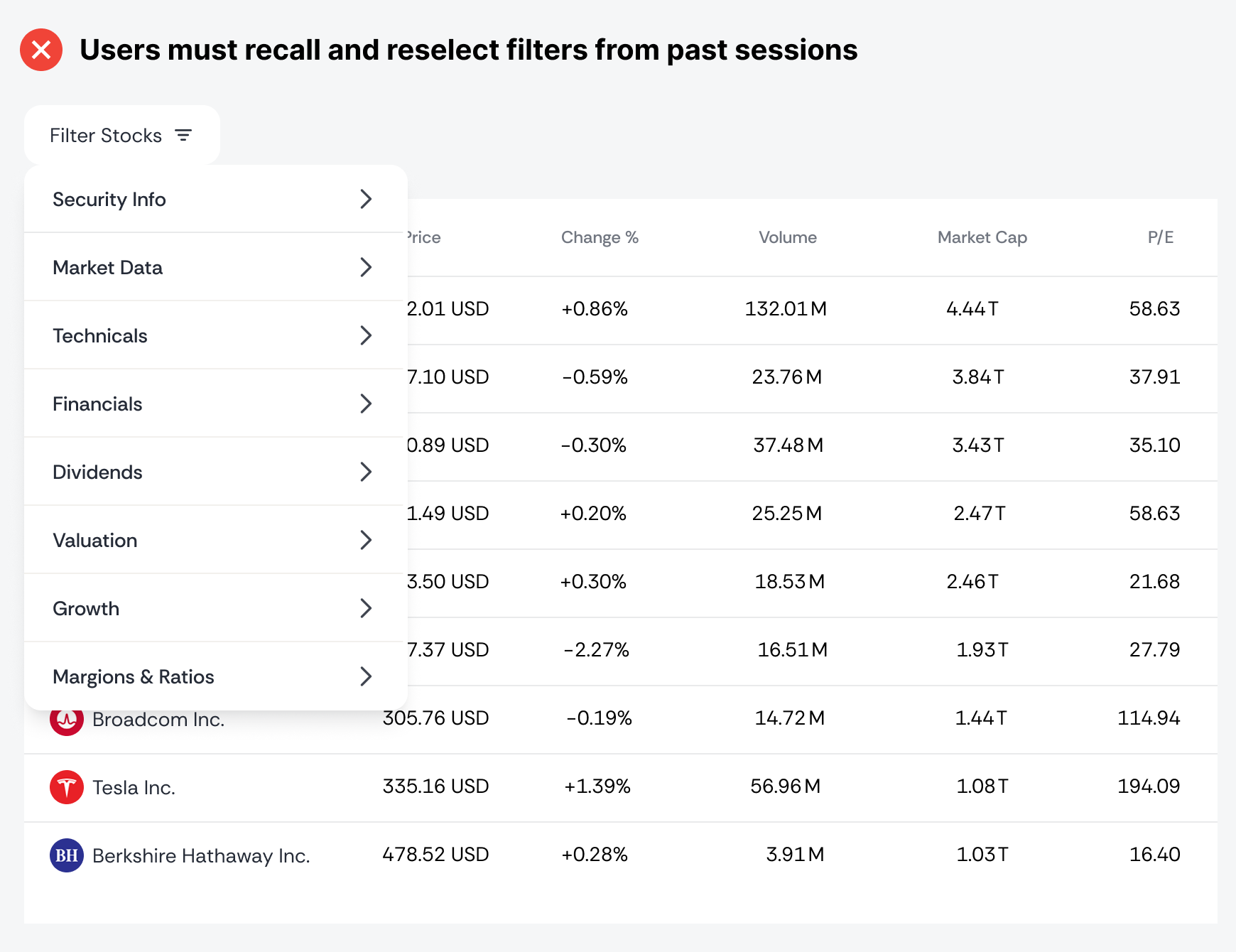
The solution is to allow users to create their own custom table filters and save them for future use. This way, they can always reuse them in their next session. However, designing this UI with an optimal UX isn't easy. The correct approach to custom table filters is as follows.
Tab Views
Your table could offer more informational value with tab views. These are different sets of pre-selected filters for doing specific tasks. Users would have several default views to choose from, rather than having to create one from scratch.
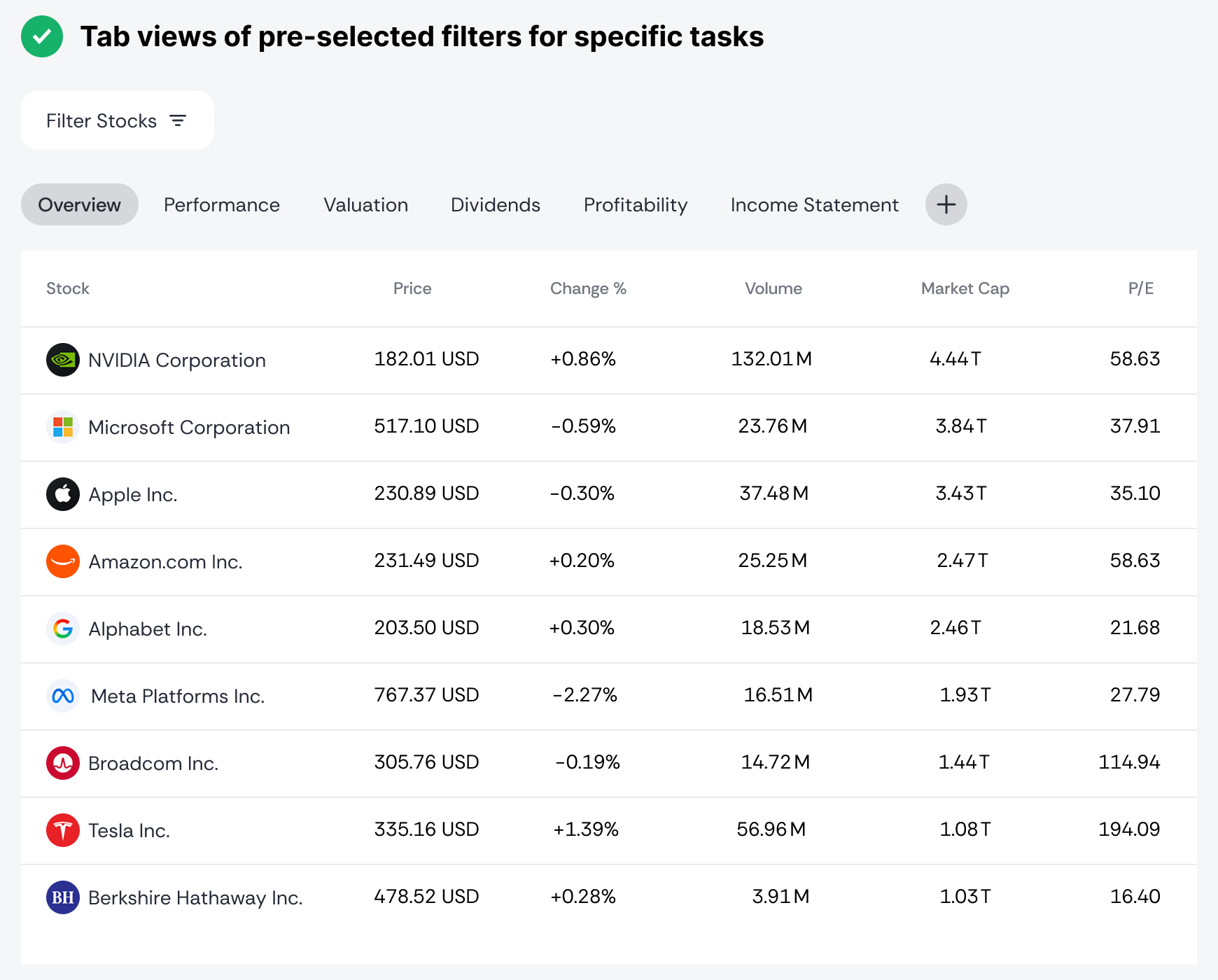
For example, a table for screening stocks might require analyzing the performance, financial, or dividend data. Instead of forcing users to find the appropriate filters for this data, you can pre-select it for them in a tab view.
Custom Tab View
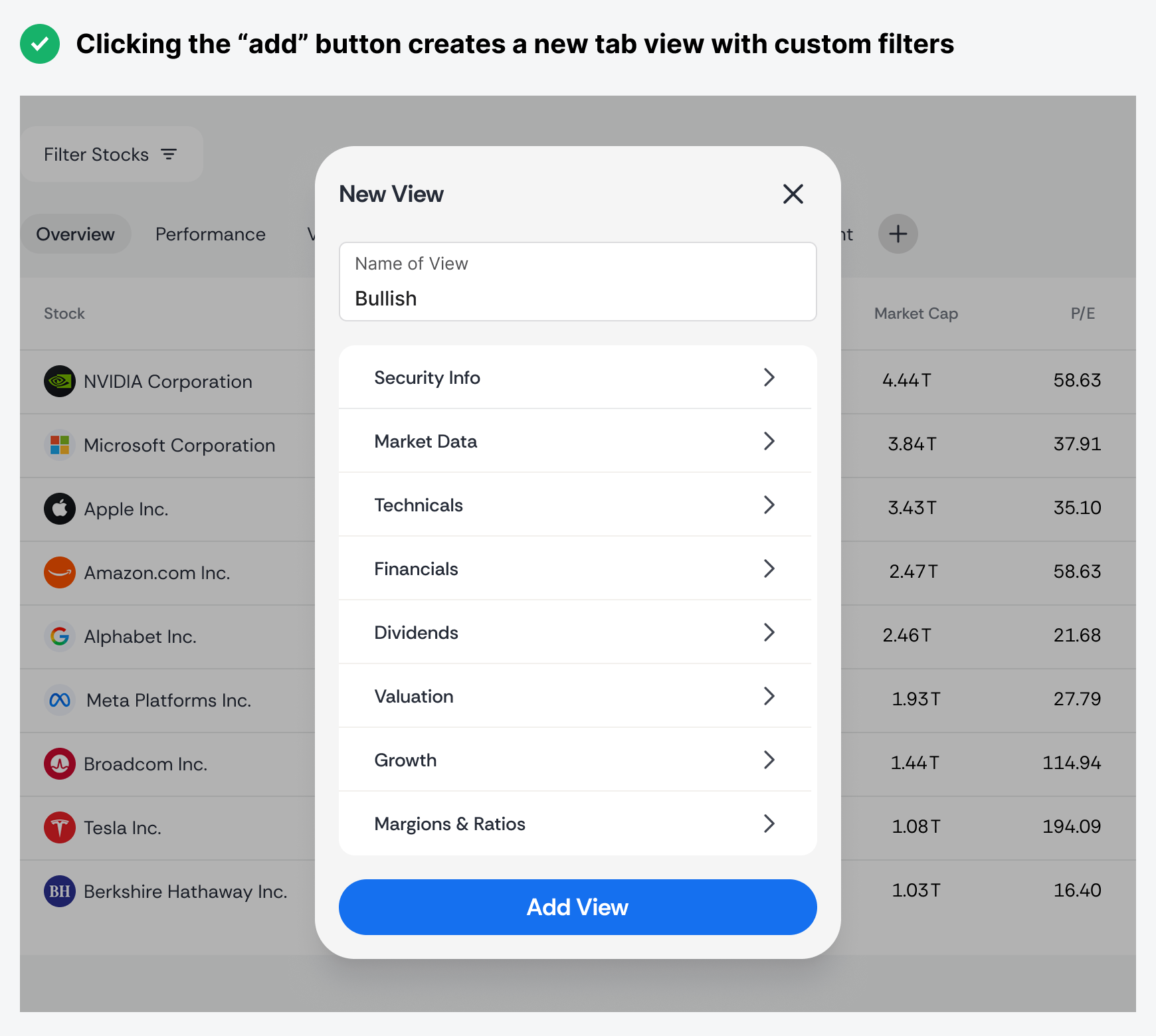
Some users may not be satisfied with any of the default views you offer and will want to create their own. To make it easy for them to do this, place an "Add" button at the end of the tab row. This will display a modal form where they can enter a name and select filters to add a new view.
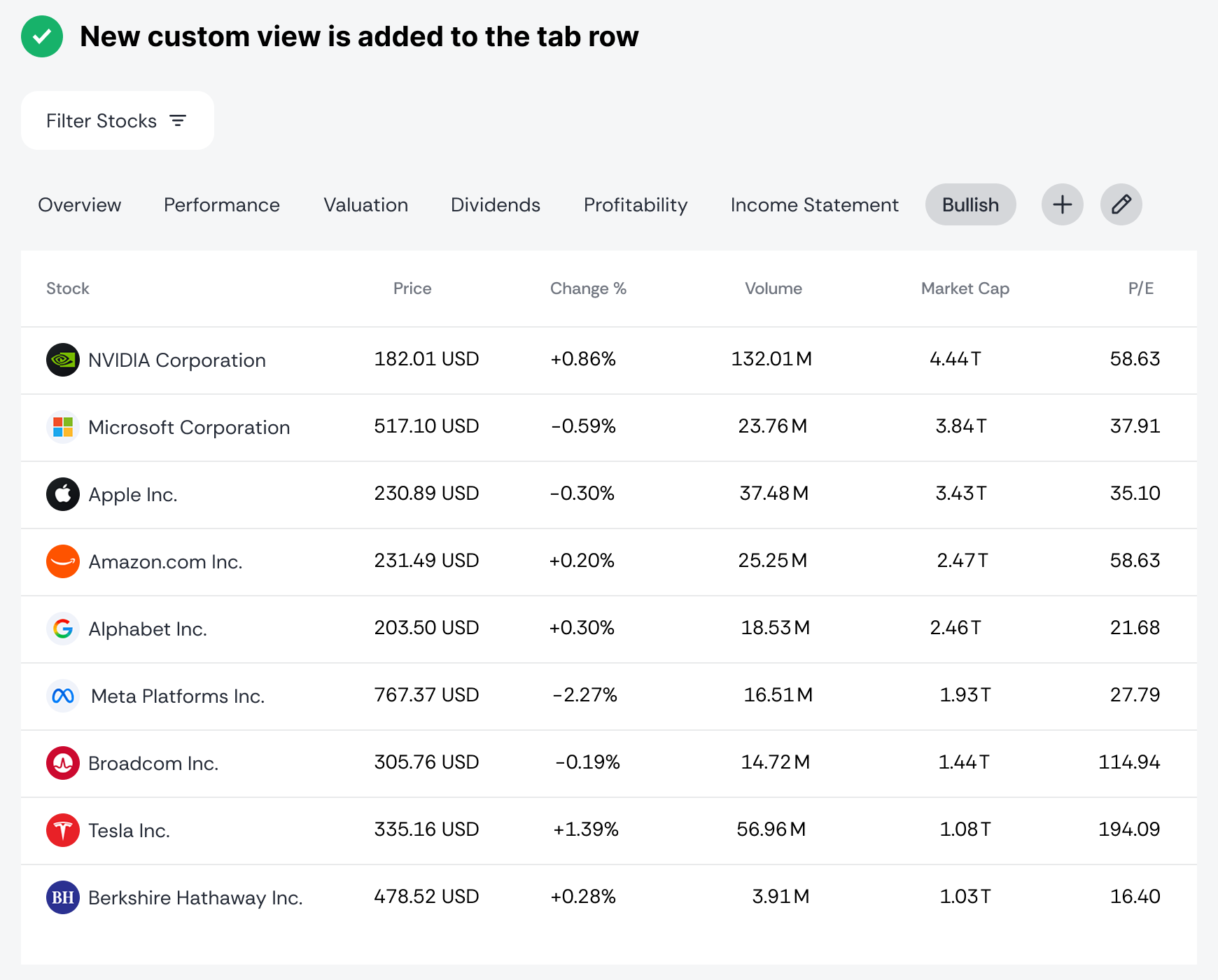
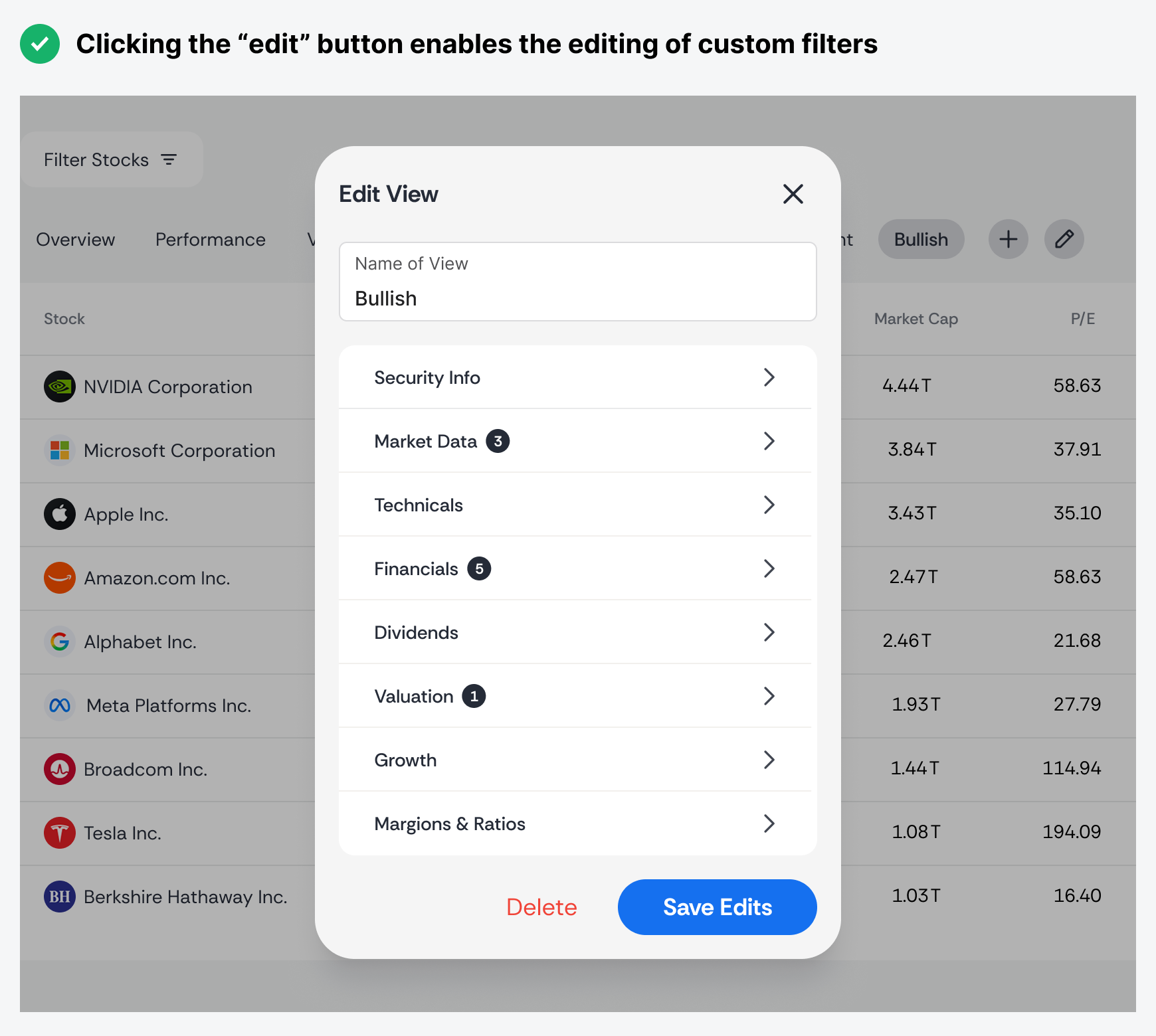
After clicking the "Add View" button, their custom view will appear in the tab row. It's saved there so users can reuse it. They can also edit the view to build upon it or delete it. To make editing easy, place an "Edit" button next to the "Add" button in the tab row. That "Edit" button should appear whenever users click a custom view.
The modal form for editing the view should resemble the one for adding a view, but with a few exceptions:
-
The title should say "Edit View."
-
Categories should display a numeric cue to indicate the number of selected filters.
-
The action button should say "Save Edits."
-
There should be a delete button next to it.
Custom table filters are most useful for apps that offer a wide range of filters to choose from. If your app only has a few filters, users might tolerate reselecting them since there aren't that many. Combining this functionality with default tab views is the key to a superb user experience for your data table.