
Output Forms: Match Input as Output for Better UX
Transform forms into output templates
When a user submits a form, there are two possible outcomes for their input. The first sends their input privately to an administrator, while the second makes it publicly visible to others. If you’re designing a form for public visibility, it’s crucial to provide users with a preview of how the output will look.
For example, if you’re listing a property for sale, it’s important to consider the presentation, as this can influence its chances of selling. Unfortunately, most forms do not offer a preview of how the user’s input will appear when the listing goes live. Instead, users only see standard text fields without any indication of the output.
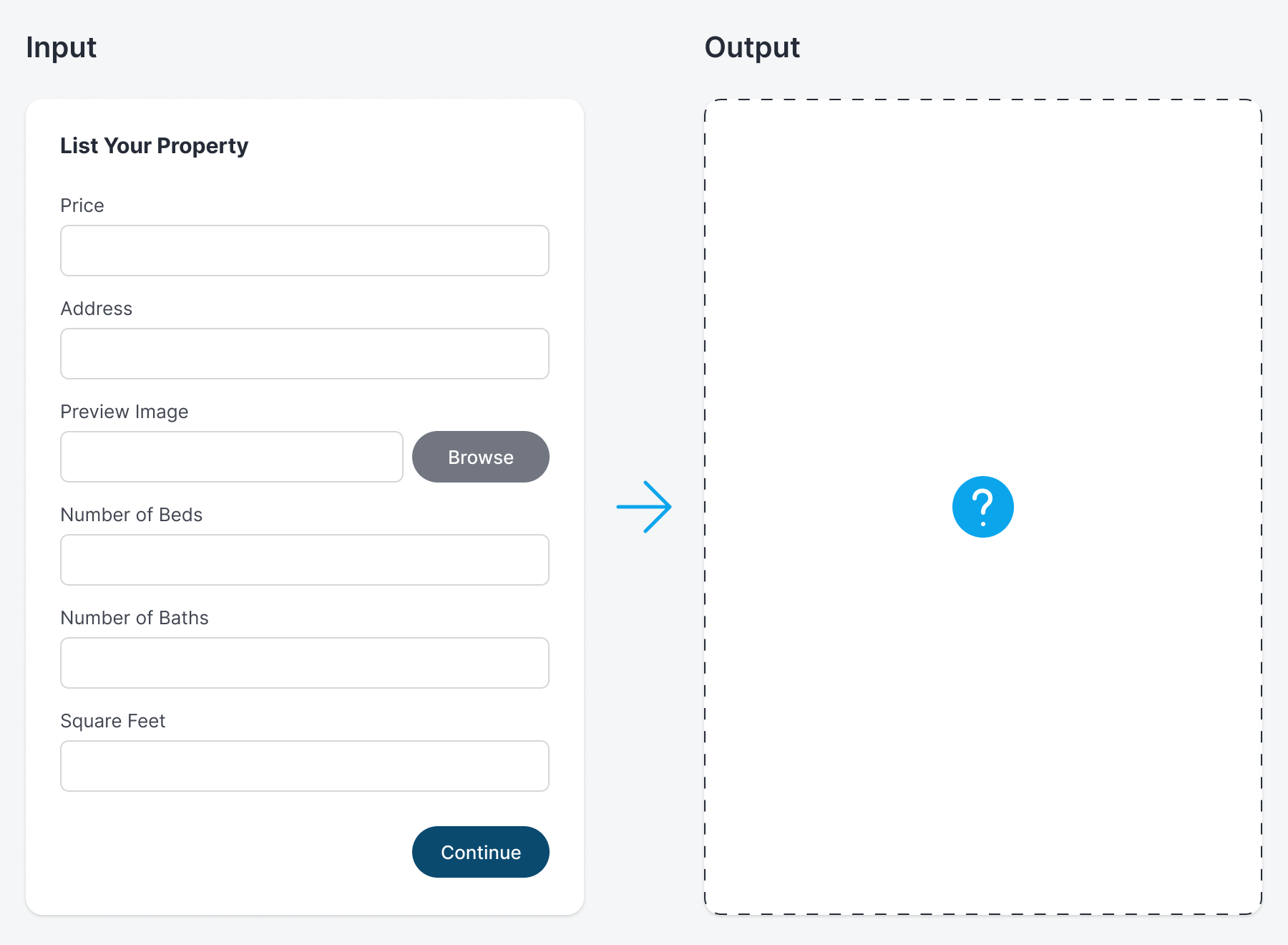
Not knowing how their input will appear in public can give them second thoughts when submitting the form. It creates a level of uncertainty and anxiety that can affect the task performance and completion rate. However, there’s an intuitive way to provide users with a preview of the output as they fill out the form.
Rather than presenting the property listing as a standard form, you can design it to resemble the card display that appears after submission. This approach allows you to showcase the form as a “template” inspired by the card output.
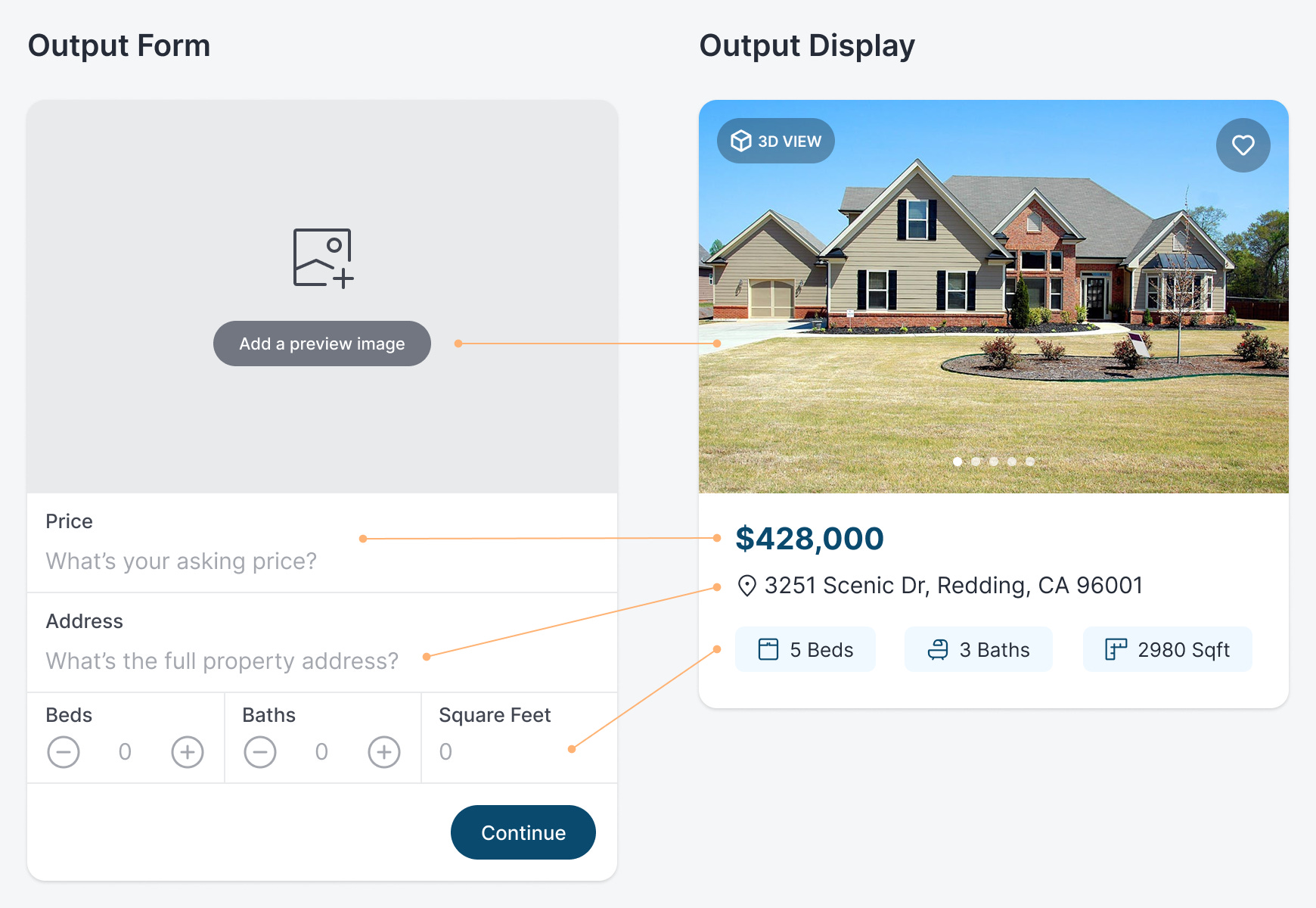
The form fields need to be positioned identically to the card’s data. Additionally, the empty upload field should match the size of the preview image on the card. As a result, users get a sense of the public listing before it goes live so that there are no surprises.
This output form is for the card display only, which is what the public sees first. However, you can also use an output form for the details page that appears after the user clicks the card.
The details page contains more fields and images. The key is to preserve the layout, field positioning, and image sizes in the form so that it matches the output. Notice that the positions of the fields align with where the data is displayed. Also, the empty upload fields are sized to match the images in the listing. Overall, the form layout mirrors the page layout.

Output forms are not only effective for public-facing data but also for visual input. Most of the time, the images in a post influence the chances of achieving the desired outcome. Therefore, users must ensure that images are displayed correctly before publication.
In this case, if the user accidentally uploads the wrong house images, it won’t sell. Not only that, but if the image order isn’t correct, it could also affect sales. For instance, the featured image should be the most attractive, since it will make the first impression.
When the form input matches the output, users have a better idea of how their information will look in the post. This gives them certainty and peace of mind as they enter their input, increasing the likelihood that they will successfully complete your form. Use output forms whenever you have visual input or data that’s displayed publicly.